How much dirt is in a hole that measures two feet by three feet by four feet?
None… it’s a hole!

How much dirt is in a hole that measures two feet by three feet by four feet?
None… it’s a hole!
Julie Entwistle, MBA, BHSc (OT), BSc (Health / Gerontology)
My recent blog “Confidentiality in a Coffee Shop: Conducting Business in Private Places” highlighted the things professionals need to keep in mind when having private conversations in public spaces. But the issue of privacy does not just include conversations that can be overheard. It also includes using our electronics to carry out business anywhere where our screen could be visible to others.
I was at two conferences recently where I was able to clearly see the work of others who were multi-tasking. At one, a psychologist was sitting beside me and was editing reports with his computer on his lap. His screen was fully visible. I could see everything he was doing including client names, claim or personal identifiers, and the written account of each individuals’ psychological assessment. Of course, I had no business reading the material so I glanced away, but had I been interested, I could have clearly obtained information that was not meant for me, and information that a client did not consent for me to have. In another conference example, a professional was sitting in front of me at another table. She too was working on her laptop and I was able to see, even one table over, what she was doing. She was not writing reports, but I did see her managing some personal financial material which I am sure she didn’t realize was visible. As a close colleague, I reminded her at the break to be careful with her computer and what she was working on.
I am also often on the GO train venturing in and out of Toronto. That is a hotbed of people working while they commute – on both their phones and their computers. In my interest about this topic of privacy, I have noticed that some people have found ways to protect the privacy of their devices. With some help from a trusted techy-friend, I wanted to provide some of these strategies to you, in case you are using your computer or phone to manage confidential or private information in public places:
APPS
On Andriod devices (sorry iPhone users) there are applications (apps) you can download that will put a filter on your device that allows you to only see the screen head-on, leaving those at different angles unable to clearly see your information. Some of these helpful apps are:
EXTERNAL PRODUCTS
Products exist to put over computer monitors, laptop screens and phones that will distort the view from different angles. For example, take a look at the complete line of privacy screen protectors from 3M. 3M offers an entire line of screen protectors that work on multiple devices and offer varying levels of protection.
The big picture is that the protection of privacy is everyone’s business, but this is especially true in health care. Taking steps to conceal devices and screens is just as important as storing other confidential information properly. The more portable our work-life becomes the more we need to safeguard the information we possess.

Last month the long-awaited revision to Canada’s Food Guide arrived and surprised many with some major changes to its design and content. Personally, I am pleased with the changes which include a move toward plant-based proteins and I love the addition of guidelines around healthier eating habits like cooking meals at home, eating meals with others and more. Check out Canada’s Food Guide and let us know what you think of the changes.
Our O-Tip of the week series we will be providing valuable “OT-Approved Life Hacks” to provide you with simple and helpful solutions for living.
Spring Break is upon us so for the month of March, our O-Tip of the Week series will provide tips for traveling like a pro!
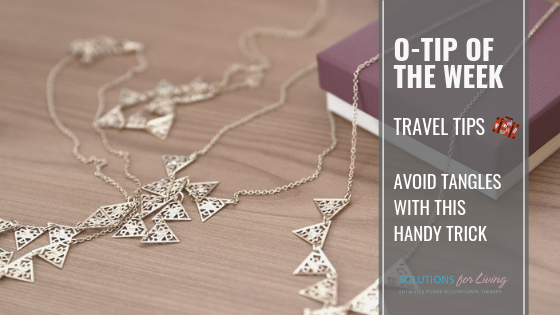
Accessories, especially necklaces, can become a nightmare when you unpack and realize they have become a tangled mess. Avoid this frustration with the help of a common item – a drinking straw. When packing simply slip individual necklaces through straws and fasten. This technique will keep them tangle free!

Solve the following:

1. You can count on it
2. Foot in the door
3. No can do
4. Honest to goodness
5. Way overpriced
6. Living on a shoestring
care of thinkablepuzzles.com

Julie Entwistle, MBA, BHSc (OT), BSc (Health / Gerontology)
Do you have a child that is a picky eater? You are definitely not alone! Picky eating is a common issue, and while it is normal for kids to have food preferences and dislikes, it can be quite concerning for parents. The good news is an Occupational Therapist can help!
Occupational Therapists can work with families to create solutions tailored to the individual child. Some general suggestions may include some of the following tips:
Watch our popular video below to learn more about how an Occupational Therapist can help families overcome the picky eating problem and raise healthy, happy eaters.
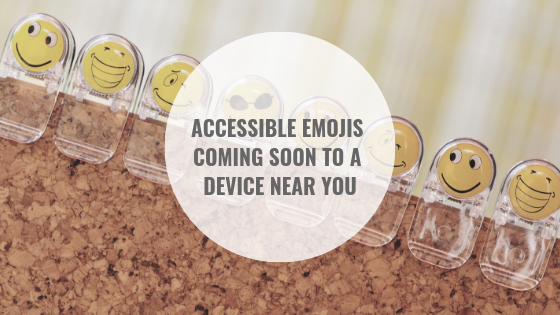
Cheers to Apple 👍 for working with multiple organizations to create new emojis that “better represent individuals with disabilities.” Though it will take some time for these emojis to be available on your device, it is a great step forward for inclusivity in our daily lives.

photo care of Emojipedia Photo
Learn more about the new emojis in the following care of Time Magazine.
Time: Prosthetics, Guide Dogs and Wheelchairs: Here Come Apple’s Proposed Accessibility Emoji

Our O-Tip of the week series we will be providing valuable “OT-Approved Life Hacks” to provide you with simple and helpful solutions for living.
Spring Break is upon us so for the month of March, our O-Tip of the Week series will provide tips for traveling like a pro!
Never enough room in your suitcase? That could be because you’ve been packing it all wrong! (or maybe you are packing too many pairs of shoes) The trick to maximizing space in your suitcase is to roll your clothes. Not only will this create space for just one more pair of shoes, but it will also keep your clothing wrinkle free!
Check out this great how-to video care of Travel and Leisure.
Travel and Leisure: You’ve Been Rolling Your Clothes All Wrong. Here’s the Correct Way to Do It
A man buys a horse for $60. He sells it for $70.
He then buys the horse back for $80. And he sells the horse for $90.
In the end, how much money did the man make or lose?
In the end, the man has $20 more than he started with.
Julie Entwistle, MBA, BHSc (OT), BSc (Health / Gerontology)
I love the song “Scare Away the Dark” by Passenger. Some of the lyrics have powerful insinuations: “we should stare at the stars and not just at screens”…”we want something real not just hashtag and twitter”…”we are all slowly dying in front of computers”. I believe there is significant truth to what he is saying. The technology pendulum has swung so far in the direction of obsession and I am personally looking forward to it bouncing back to some form of neutral.
If addiction is defined as “the state of being enslaved to a habit or practice that is physically or psychologically habit-forming to such an extent that its cessation causes severe trauma…” or “usage of something that is beyond voluntary control” then I would argue that technology applies, and many people have a serious problem.
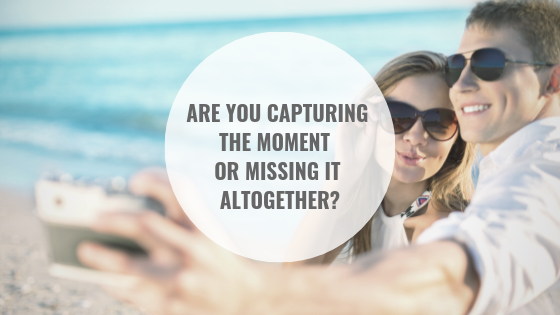
On a recent holiday, the evidence of this was immense. On one occasion I saw three young women on a horse-drawn carriage ride (a $50 experience I might add) and they were all looking at their phones. Were they texting, tweeting, posting on FB “loving my horse-drawn carriage ride”, or maybe playing candy crush, Instagramming a photo, or taking a selfie? Or the families sitting at dinner looking down, using their devices, essentially ignoring each other. Or the guy at the theme park videotaping his experience – he was even videotaping while a photographer was taking their family photo! I am not sure it matters what these people’s intentions were with their devices, but I felt that in perhaps trying to capture these moments they were missing them completely. Look around, talk to each other, take in the sights, sounds, smells, be mindful of the fragility of life and take a moment to be grateful for the experience. Connect. Engage. Smile at a person, not just a screen.
Now don’t get me wrong, I am all for capturing moments. But some moments need to be captured by our eyes and filed in our brain, not just on a device, memory card, or online. The concept of being present includes enjoying moments while you are in them – without living in the past or obsessing about the future. How can we do this? Enlightened Living suggests that being present involves recognizing that we can only do ONE thing at a time and thus we should engage wholeheartedly. Taking a photo while trying to absorb a moment are two tasks that cannot happen simultaneously. Thus why people feel that “life has passed them by”…they were never there to fully experience it in the first place.
So every once in a while check your addiction. Step away from your phone. Take technology away from your children. Leave it at home. Don’t take it on vacation. Set rules for technology behavior. In our house, we have significant rules for screen use, including a 17 clause contract our daughter signed in getting her first cell phone at age 14. Some of the important clauses include:
My 14 and 12-year-olds read the contract together. At the end, my 12-year-old said: “so, what CAN she do”?
Do you feel sorry for my kid? Don’t. The real reason for the contract was not because she needs to be rigidly structured, but because I, as a new parent of a kid with a cell phone, was not comfortable with the entire concept in the first place. At 14 (and younger) kids are not developmentally able to understand and grasp the full impact of this new power in their possession. That is why there are recommended ages for Facebook (14), and age-specific laws for driving and drinking. They are young, naïve, immature, and still learning the ways of the world. I have a responsibility to be her guide, as effortful as that is. In the end, the contract worked to set out the expectations, establish boundaries, communicate about safety and proper use and helped us recognize the need to adapt as a family to the transition of now raising teenagers, not just “kids”. But my true intent was to make sure that I don’t teach her, or worse, model for her, that technology trumps experiences, replaces in-person relationships, or is a valuable way to tick away the proverbial time bomb that is life.
So, try if you can to capture moments by being present, and by using your born faculties to photograph, store and file your memories – not just a device. Check in with yourself at times about your behaviors, track these, shock your system with some detox, set some boundaries and try to unplug.
Previously posted July 2014