
Take a look at this touching story of true friendship.
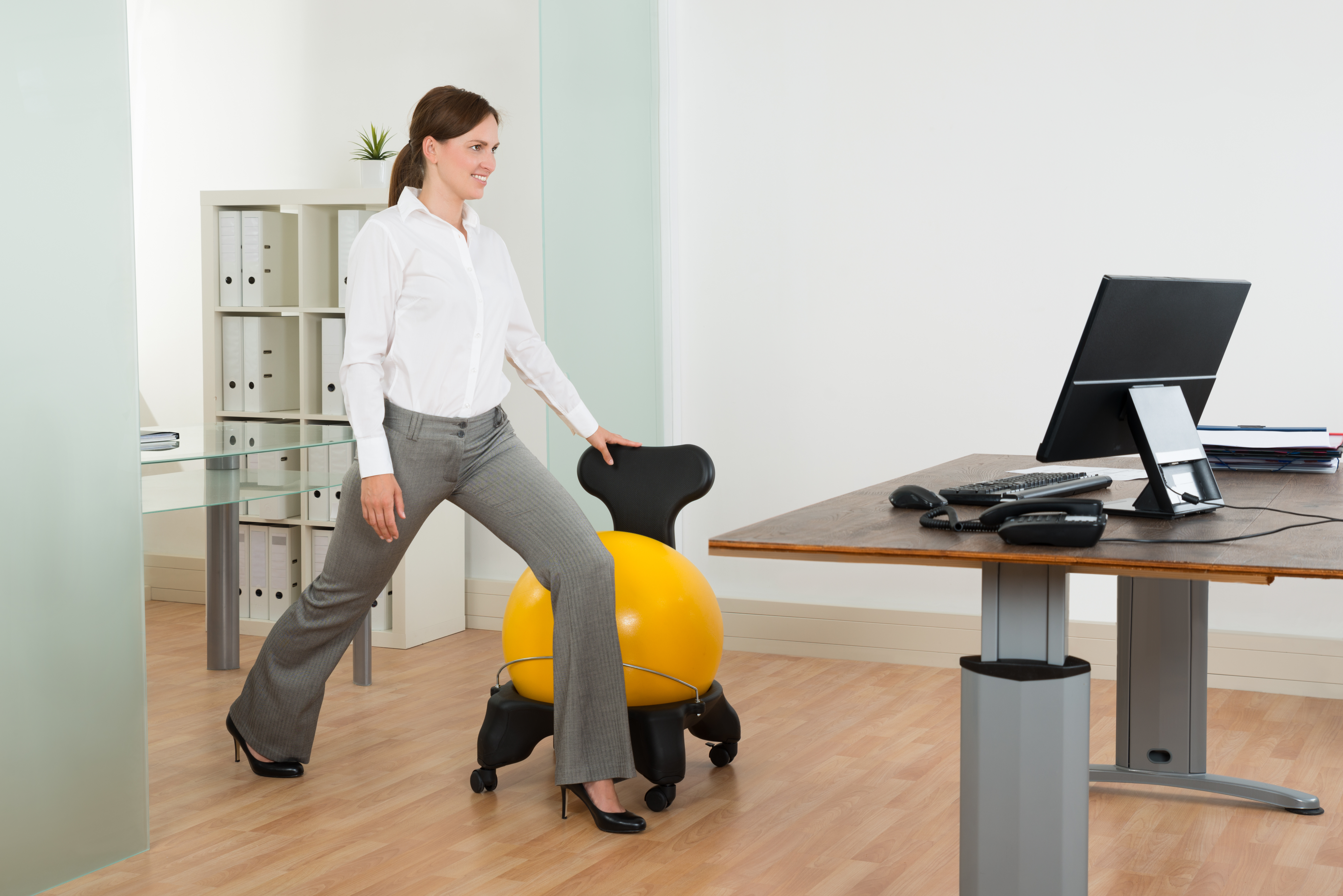
Solutions To Stop Sitting Disease
The negative health effects of sitting for extended periods of time, coined as “sitting disease” has been a hot topic recently. Studies show that sitting for extended periods of time, as many of us do at work, while commuting, and even while watching television or reading, can lead to increased risk of heart disease, diabetes and a decreased lifespan. But while we need to work, how do we combat these negative effects?
Ergonomics addresses well-being and performance in relation to one’s job, equipment, tools and environment, with an overall goal to improve health, safety and efficiency of the worker and workplace. While the concept of ergonomics is no longer new, it involves much more than making sure your office chair is of the latest style. Due to the many different components involved in utilizing ergonomics to promote wellness and safety at work, some find it overwhelming and don’t know where to start. We’ve combined some of the most important and effective ergonomic tips together to make a quick reference guide for those looking for a starting point or those looking to brush up on their current strategies.
1. Take frequent breaks: We’ve said it before and we will say it again. Regardless of the job and job demands, humans were not meant to remain in static positions for long periods of time. Taking regular, brief breaks throughout the day allows us to avoid maintaining static positions, awkward postures and repetitive motions that lead to injuries. It is also important in terms of our cognition as this allows us to recharge and refocus to maintain productivity. Consider taking a 2-3 minute break for every 30 minutes of work.
2. Follow the rule of 90s: For those who are required to maintain sitting positions for long periods of time at their workstation, the rule of 90 degrees should be followed. This means that while sitting at a desk, a person’s knees, hips and elbows should each be resting at 90 degrees. This angle falls in line with our natural body proportions and biomechanics, and helps support proper posture and body positioning.
3. Seating matters: In a similar manner, seating is a key component when looking to support ergonomics. Chair height should be adjustable such that the back is firmly supported, thighs remain parallel to the floor and the feet are able to rest flat on the floor or a foot rest. The chair itself should have a sturdy support base and wheels, to allow easy mobility over flooring as well as the ability to swivel 360 degrees to avoid twisting, reaching and bending to access other items around the workstation. The more adjustable the chair the more you can fit it to YOU.
4. Change positions regularly: Just as with taking frequent breaks, regular position changes are important to avoid injuries. Whether it be taking a break to walk to the filing cabinet, or standing while having a phone conversation, make sure that regular changes in body position occur over the course of the day. Some companies are moving towards installing mobile workstations, which can be transferred from sitting to standing height to allow employees to alternate between periods of sitting and standing to complete work tasks, making regular position changes a habit is an effective and free way to avoid injury.
5. Inspect your screen: Many jobs today require long periods of screen time. If this is the case for your workstation, make sure that there is an arm’s length distance between your eyes and the screen. Also make sure that the top of the monitor or screen is level with your forehead. This allows for the head and neck to remain in a neutral position by avoiding continued periods of looking up or down. If a job requires frequent paper reading or phone use alongside computer use, consider a document holder or headset.
6. Keep tools and frequently used items close to your body: Whether it be having your chair tucked in close to your desk, or the location of your keyboard and other frequently used items like the mouse and telephone, ensure that these items remain close to the body. This allows you to avoid reaching, twisting at the trunk or adopting other awkward postures to obtain and use these items.
7. Stretch: This tip goes hand in hand with the use of regular breaks and position changes. Engaging in gentle stretching on a regular basis over the course of the day can address body stiffness and muscle tension in areas like the neck, shoulders and back. It also serves as a preventative strategy to keep the body moving and avoid injury before it happens. Grab a list of some simple stretches for your neck, shoulders, wrists and back and do these a few times a day.
8. Keep wrists neutral: Whether it be for keyboarding, use of a mouse or desk work, it is important that wrists are maintained in a neutral posture. This avoids potential for overuse and injury due to fixed postures of flexion. Try altering positions or using equipment such as a wrist rest to support the forearms.
9. Lighting matters: Improper lighting at a workstation can lead to glare, visual strain, headaches and reduced concentration. Make sure that lighting is neither too bright nor too low and that the location and angle is appropriate for the specific work task.
10. Ask for help: These tips are basic in nature and are meant to serve as general information. However, if you have more specific questions related to implementing ergonomics in your workplace, for a specific job or employee, seek the services of an Occupational Therapist. An OT can provide more thorough assessments and recommendations to maximize safety, health and efficiency at work.
Keep these principles in mind anytime you are in a static posture and are using a computer or workstation. Prevention is always the best medicine to avoiding injury and lost work time that can be so disruptive for you and your employer.
Check out our free e-book “Cost Effective Ergonomics Solutions” for more ergonomic solutions.
Inspired
“Whatever tears at us, whatever holds us down, and if nothing can be done, we’ll make the best of what’s around.”
Dave Matthews Band, Best Of What’s Around

Too Much Screen Time? We’ve Got Solutions!
Child psychologists and occupational therapists are finding that screen time is stunting the emotional development of children. Children are not learning strategies to self-regulate behavior since they are constantly masking their emotional problems with distracting games. Along with this expensive self-regulating strategy comes delayed development in language and social skills, poor sleep patterns, and poorer performance in school. And, what about the temper tantrum that erupts when the tablet battery dies halfway to Grandma’s?
The Canadian Paediatric Association recommends no more than 2 hours of screen time for children a day. A recent survey showed that children in grade 6-12 spend on average 8 hours a day in front of a screen. Another study showed that one in three children are using tablets before they can even talk. Screen time is becoming a serious addiction for our children’s generation and is associated with poor health related outcomes.
We encourage you to use our FREE TECHNOLOGY PASS printable to help get a handle on too much tech time in your home. Simply print, laminate and use each time your child is asking for screen or tech time. Have a conversation with your child about why you are using this tool, discuss a fair limit and get a commitment from your child.

Check out our post “The Detriments of Screen Time and a FREE Technology Pass” to learn more about the negative impacts and find strategies on how to limit tech time.

Inspired


What We Can Learn From The World’s Healthiest Diets
Sadly, North America is not known for its healthy dietary choices. However, by adopting some common principles from healthier countries around the world, we too can become healthier and happier. Check out the following from The Huffington Post which discusses some of the world’s healthiest diets and what they all have in common.
The Huffington Post: What The World’s Healthiest Diets Have In Common
Inspired
“It is not beauty that endears, it’s love that makes us see beauty.”
Leo Tolstoy

Senior Safety – Occupational Therapy Can Help!
Canada’s population is aging. In 2015, there were almost 6 million seniors over the age of 65 – that is nearly 1 in 6 Canadians. As we grow older, we face increasing risk of falls, accidents, disabilities, and illnesses. As a senior how can you stay safe and healthy?
Why is Older Adult Safety Important?
Older adult health and safety is important for maintaining our ability to age in place of choice. Statistics Canada has highlighted the following safety risks for older Canadians:
· 89% of Canadian seniors had at least one chronic health condition. Arthritis and rheumatism were the most common.
· 25% of Canadian seniors reported having 2 or more list of chronic conditions such as high blood pressure, arthritis, back problems and diabetes.
· 63.7% of Canadians reported to be injured in a fall
· There are 3.25 million people aged 65 and over in Canada who have a driver’s licence.
· 92.1% of seniors live in private households
These statistics demonstrate the increased risk to seniors for health and other safety concerns.
Occupational therapists can help!
Occupational Therapists (OT) are trained professionals who address aspects of getting people back to doing things they want to do, need to do, or have to do, but may be experiencing challenges when doing so. Occupational Therapists can support older adult’s health and well being through providing supports for seniors to maintain active social connects, manage changes in health conditions, and to continue engaging in activities that provide them with meaning and joy.
These are the following areas that an OT can help keep seniors safe and healthy!
Fall Prevention
Falls are the leading cause of injury among older Canadians with 20-30% of seniors experiencing one or more falls each year (Statistics Canada).
Occupational Therapy can help seniors prevent falls by assessing their functional status and reviewing the hazards in their environment that may put them at risk for falling. Strategies to prevent falls can be discussed, such as:
· General Education on how to do activities differently to stay safe
· Equipment and devices to assist
· Home modifications such as lighting, flooring, organization and layout
Aging in Place
Canada’s Population Is Aging! In 2011, 92 % of all seniors ages 65 + lived in private homes, and over 10 million seniors are living with a chronic condition (Statistics Canada). Older adults also have disproportionally higher rates of unmet care at home (Turcotte, 2014). Thus, ensuring these individuals function safety and independently at home is a high priority!
Occupational Therapy can help by assessing the home and the homeowner to ensure a proper fit between the person and environment to promote overall health and safety.
An OT can prescribe the proper assistive devices, education and help people plan ahead so they can “ age in place” without being at risk.
Keeping Senior’s Active
Remaining physically active as you age can help reduce, prevent or delay diseases and can help to manage stress, improve mood and boost cognition! 57% of Canadian seniors consider themselves physically inactive (Statistics Canada).
Occupational Therapy can help seniors remain physically active by:
· Creating Custom Activity Plans based on health and abilities
· Helping seniors create a daily schedule that includes physical activation
· Helping seniors to find appropriate facilities and groups to join or other productive and meaningful activities.
Sleep
Sleep is important for recovering from illness and injury, staying healthy, and ensuring people have sufficient energy during the day to accomplish life roles. Difficulty sleeping is a common and detrimental issue for people in various life stages.
Occupational Therapy can help seniors reduce sleep problems by:
· Reviewing sleeping positions and patterns to suggest improvements for both comfort and quality of sleep
· Assessing the bed, mattress and pillows to ensure the body is sleeping in the optimal position for comfort
· Prescribing assistive devices to improve sleep positioning, bed transfers and bed mobility
· Helping people to implement a new sleep routine that will improve your sleep quality and duration!
Cognitive Impairments
According to the Alzheimer’s Society of Canada as of 2016, there are an estimated 564,000 Canadians living with dementia – plus about 25,000 new cases diagnosed every year.
Occupational Therapy can help people with dementia or who have altered/declining cognition by:
· Educating people and loved ones on how to maximize function while still promoting independence and safety in the completion of activities of daily living.
· Assessing cognition, abilities and environment to make suggestions on ways to compensate for declining cognitive skills through direct therapy or environmental modification
· Developing routines and schedules that promote independence and eases the role and need for a care giver
· Prescribing safety equipment and devices to optimize function
Transition Stages
Occupational Therapy can play a crucial role in helping seniors through live transitions this by:
· Identifying, planning and helping people engage in finding new meaningful occupations outside of work
· Providing education on role changes, spending time with family and friends, healthy lifestyles and choices
· Helping discover new ways to occupy their time, participate in leisure activities and find new interests
· Improving quality of life through promotion of independence and pain management strategies
Check out our infographic on how OT works for seniors and stay tuned to our blog next week for our post on how OT’s can help older adults be safer on the road.
Resources
http://www.statcan.gc.ca/pub/11-402-x/2012000/chap/pop/pop-eng.htm?fpv=3867
https://www.tc.gc.ca/media/documents/roadsafety/cmvtcs2013_eng.pdf
Turcotte, M (2014). Canadians with unmet homecare needs. Statistics Canada report. http://www.statcan.gc.ca/pub/75-006-x/2014001/article/14042-eng.pdf
http://www.caot.ca/default.asp?pageid=1454
http://www.caot.ca/default.asp?ChangeID=1&pageID=621
http://www.caot.ca/default.asp?pageid=1501

Laughter Therapy

Weekly Mind Bender
If you started spelling out numbers (ex. One, two, three…) how far would you have to go until you found the letter A?
Answer
One thousand.